You shook hands with your podcast guest, wrapped the recording, and now the real challenge begins: getting one tight hour out of four. The interview recording has everything you need, mixed with dead air, long pauses, digressions, and interruptions.
Reviewing one hour of interview footage can easily take several hours before the real decisions about structure and pacing begin. Meanwhile, the audience keeps growing: Edison Research’s Infinite Dial 2026 found that 80% of Americans age 12 and older—about 230 million people—have listened to or watched a podcast.
This guide compares six tools built for different parts of that workflow and explains which one fits each kind of creator.
TL;DR
- For an AI-first interview and podcast editing workflow: ChatCut
- For document-style transcript editing: Descript
- For AI assistance inside Premiere Pro or DaVinci Resolve: FireCut
- For remote recording plus editing: Riverside
- For automated talking-head pacing: Wisecut
- For turning long interviews into social clips: OpusClip
Why Podcasts and Interviews Are Harder to Edit
Most video editing tools are designed around footage with a clear visual structure. Podcasts and interviews break those assumptions in four ways:
- No inherent structure. A two-hour conversation has no scene breaks. The narrative only becomes clear after you understand what was said.
- Irregular filler density. Real conversations contain pauses, restarts, repeated ideas, and filler words in unpredictable places.
- Multiple speakers and tracks. Remote recordings often arrive as separate files that need to stay synchronized while dialogue is cleaned.
- Talking-head stasis. A single camera gives you little visual coverage. Every cut must still feel natural without a cutaway.
AI can now generate a transcript, identify speakers, remove common fillers, compress pauses, create captions, and find promising short-form moments. What it does not replace is editorial judgment: deciding which moments matter and how to sequence them into a coherent piece.
Five Things to Check Before Choosing a Tool
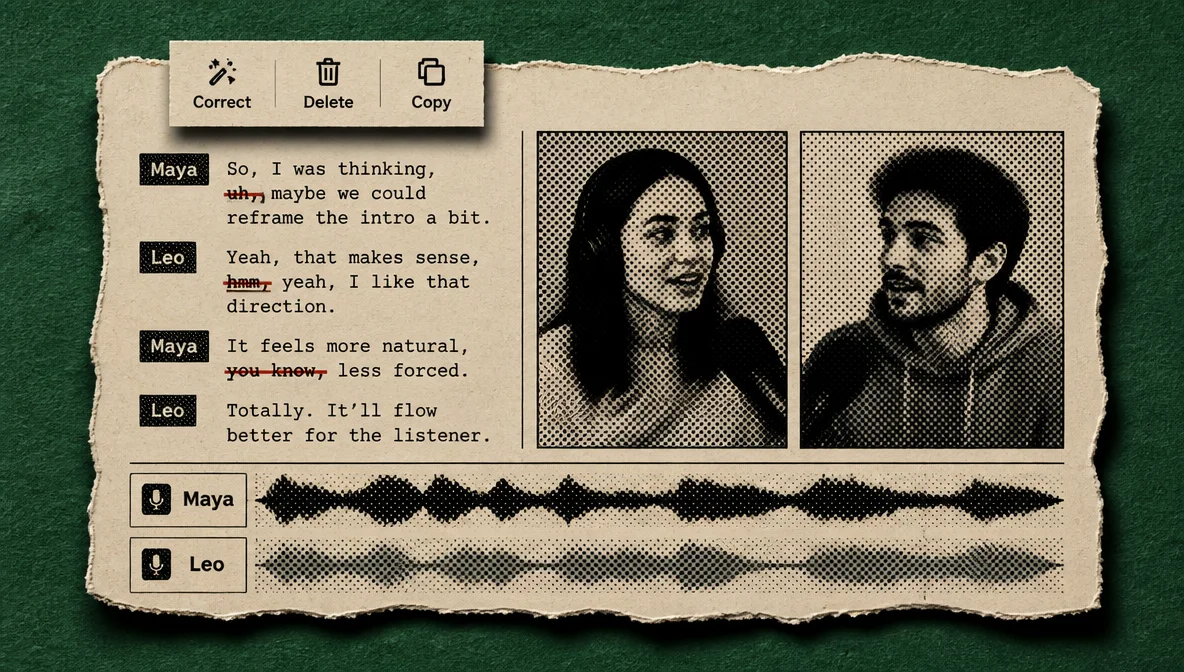
1. Transcript accuracy and language support
A tool that mistranscribes names, technical terms, or accented speech slows every later step. Check its supported languages and test it with your own audio before committing a large project.
2. Filler-word and silence controls
The best tools let you review proposed cuts and control how aggressively pauses are shortened. A two-second pause before a considered answer feels different from two seconds of dead air after someone loses their train of thought.
3. Speaker detection and multi-track handling
Remote podcasts often have several speakers on separate tracks. Speaker labels make transcript editing easier; track-aware editing keeps cuts on one track from shifting unrelated material.
4. Export flexibility
Interview projects may need a full video, an audio-only episode, a transcript, subtitles, social clips, or an XML handoff to a traditional editor. Check the formats you actually deliver.
5. Talking-head pacing tools
Solo videos benefit from silence cleanup, jump cuts, reframing, captions, and occasional punch-ins. Look for controls that automate the repetitive pass while letting you keep intentional pauses.
Quick Comparison
Prices below are public starting prices checked on August 6, 2026. Competitor pricing can change, and several discounts require annual billing.
| Tool | Transcript editing | Filler / pause cleanup | Speaker detection | Best fit | Starting price |
|---|---|---|---|---|---|
| ChatCut | Yes | Yes | Yes | Prompt-driven full edits | $25/month; 20 free starter credits |
| Descript | Yes | Yes | Yes | Hands-on document editing | From $16/person/month annually |
| FireCut | Yes | Yes | Provider-dependent | Premiere Pro / DaVinci workflows | From $10/month annually |
| Riverside | Yes | Yes | Yes | Remote recording and editing | From $15/month annually |
| Wisecut | Yes | Yes | Yes | Automated talking-head edits | From $15.75/month annually |
| OpusClip | Yes | Yes | Yes | Long-form-to-short repurposing | From $15/month |
The Best AI Tools for Podcast, Interview, and Talking-Head Editing
Descript
Descript helped establish transcript-based editing as a mainstream workflow. Delete a sentence from the transcript and the corresponding media leaves the composition. Its editor also includes screen recording, captions, speaker detection, Studio Sound, and Overdub voice tools.
Where Descript stands apart is direct, hands-on control over the words that stay and go. That makes it a strong option for documentary interviews, profile pieces, and other work where every cut carries editorial weight.
Best for: Creators who want document-style control over audio and video editing Limitation: A broader interface and feature set can take longer to learn than a prompt-first workflow
Read the full ChatCut vs. Descript comparison.
FireCut
FireCut runs inside Premiere Pro and DaVinci Resolve. It adds silence cutting, filler and repetition cleanup, captions, chapter detection, zoom cuts, and podcast-oriented automation to an editing environment professionals already know.
That makes FireCut practical for editors who want AI to accelerate the first pass without moving the project into another application.
Best for: Premiere Pro and DaVinci Resolve editors who want AI assistance inside their existing workflow Limitation: It depends on a supported host editor rather than acting as a full standalone replacement
ChatCut
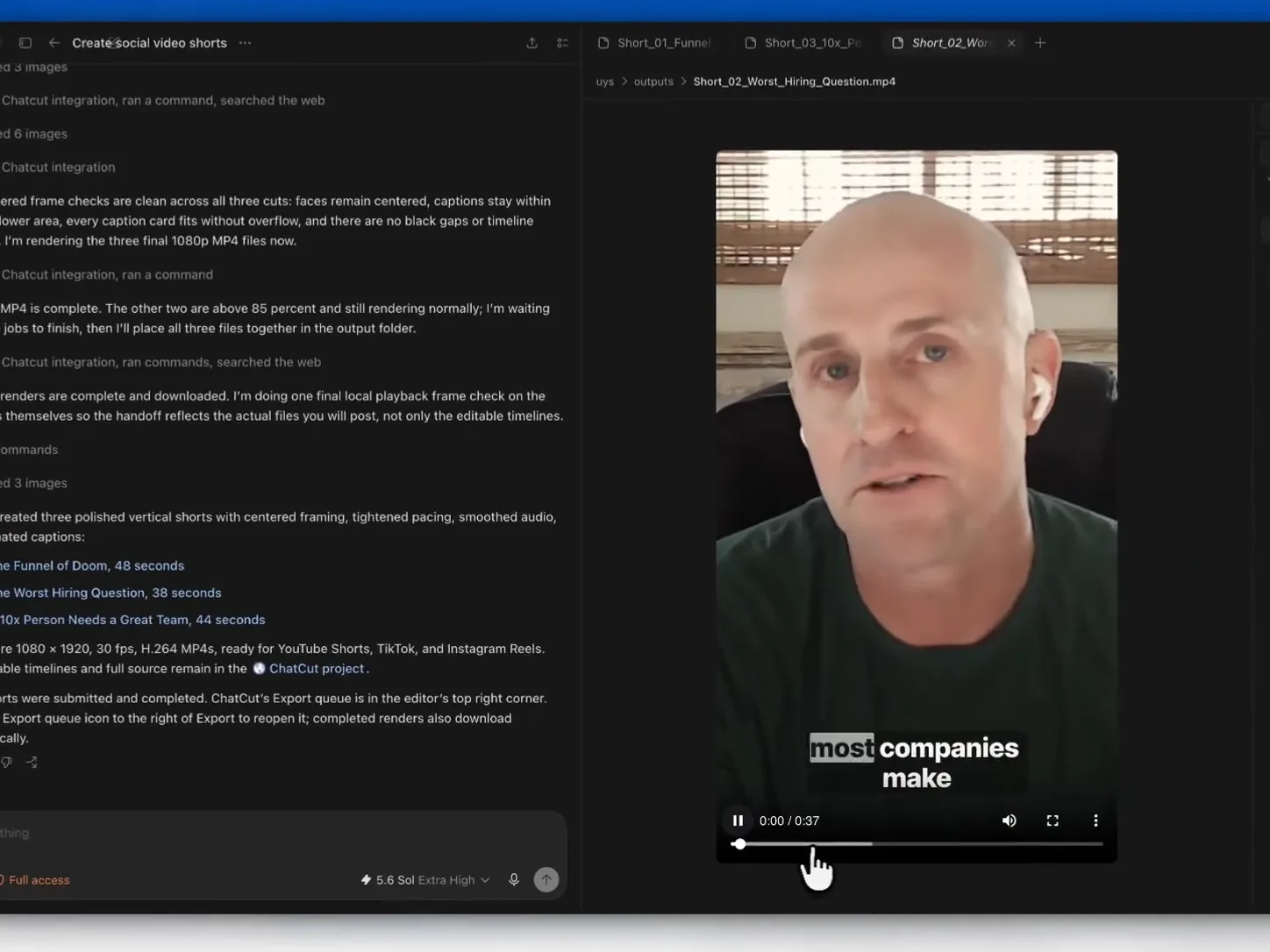
ChatCut combines a transcript editor, a multi-track timeline, and a conversational AI workflow. You can select and delete words directly, reorder transcript sections, fix speaker labels, or describe a larger edit in plain language—for example, “remove filler words, tighten long pauses, and pull the pricing section into its own clip.”
The transcript remains connected to the timeline. Word deletions become real cuts, clip-view paragraphs can be reordered, and gaps can be closed without scrubbing through the full recording. ChatCut can also export video, MP3 audio, TXT transcripts, SRT subtitles, and XML for further work in a traditional NLE.
The current free plan includes 20 starter credits. Paid plans begin at $25 per month for 100 credits.
Best for: Interview-based YouTubers, podcast producers, journalists, and teams processing spoken-word footage at volume Limitation: The AI-first workflow feels different from a conventional timeline-only editor and still benefits from a human review pass
Riverside
Riverside starts with remote recording. Each participant records locally, giving producers separate, high-quality tracks instead of one compressed video-call mix. Its editor then covers common post-production work such as transcript editing, silence and filler cleanup, captions, layouts, and social clips.
For podcasters who record remotely and want to keep recording and editing in one service, that combination can reduce handoffs.
Best for: Remote interview podcasts with guests in different locations Limitation: Its strongest workflow begins with recordings made in Riverside; imported footage may not receive every capture-side advantage
Wisecut
Wisecut focuses on automated talking-head and interview editing. It can cut silences, create captions, apply punch-ins, reframe footage for different aspect ratios, add background music with ducking, and identify highlights.
That makes it useful for solo creators who produce straightforward speech-led videos frequently and want a fast first pass.
Best for: Talking-head creators, tutorials, interviews, and high-frequency YouTube channels Limitation: Automation is less suited to investigative or documentary work where every cut needs deliberate judgment
OpusClip
OpusClip is clipping-first: it analyzes a long video, proposes engaging segments, and formats them for Shorts, Reels, and TikTok. Its paid plans now include text and timeline editing, filler and pause cleanup, captions, reframing, and social publishing.
It is strongest when repurposing is the goal. For a carefully structured full-length episode, many teams still complete the main edit elsewhere and use OpusClip for the social pass.
Best for: Creators turning long-form podcasts and interviews into short social clips Limitation: Its editorial center of gravity is clip selection and repurposing, not a documentary-style full-length cut
Read the full ChatCut vs. OpusClip comparison.
Which Tool Fits Your Workflow?
Video podcasters recording remotely with several guests
Record in Riverside to keep clean separate tracks. Edit the full episode in ChatCut or Descript. Use OpusClip for social excerpts, or FireCut if the final polish happens in Premiere Pro or DaVinci Resolve.
Interview-based YouTubers publishing every week
ChatCut handles prompt-driven rough cuts, transcript editing, speaker labels, and timeline refinement in one place. Descript is the alternative when you prefer direct document-style editing, while Wisecut prioritizes automated pacing and jump cuts.
Journalists and documentary researchers
Searchable transcripts make multi-hour recordings easier to navigate. ChatCut can locate and assemble relevant passages with natural-language instructions; Descript offers more manual control over the individual cut decisions.
Creators building a short-form channel from long-form material
OpusClip is designed for the repurposing pass. If each short also needs more involved editing, ChatCut can handle the source edit and the short-form assembly in the same project.
Common Mistakes When Editing Interviews with AI
- Accepting the rough cut without review. Automated cleanup can mistake an intentional pause for dead air.
- Setting silence thresholds too aggressively. Cutting every pause can make a speaker sound rushed and unnatural.
- Ignoring transcript errors. Fix names and technical terms before using search or making text-driven cuts.
- Skipping the visual pacing pass. Cleaner dialogue does not automatically solve a static frame; talking-head edits may still need captions, reframing, B-roll, or subtle punch-ins.
- Using one tool for every content type. The right workflow for a documentary interview is different from the right workflow for five social clips.
- Treating AI clip scores as editorial truth. Engagement signals can surface options, but they do not know the episode’s full argument or context.
Frequently Asked Questions
What is the best free AI tool for editing interview videos?
ChatCut, Descript, Riverside, Wisecut, and OpusClip all offer a free plan or starter allowance, but the limits differ. ChatCut gives new users 20 starter credits for trying its AI editing workflow. Test the same short clip in two tools before choosing one for a long project.
How do I remove filler words from a video automatically?
Upload the video to an editor with transcript cleanup, review the detected filler words, and apply the proposed cuts. ChatCut’s automatic cleanup handles common English fillers such as “um,” “uh,” “er,” and “ah,” as well as supported Chinese fillers, while preserving ambiguous words that may carry meaning.
What is the difference between ChatCut and Descript?
ChatCut combines direct transcript editing with conversational commands that can apply broader edits across a project. Descript centers on a document-style editor where you make granular choices in the transcript. Both approaches keep text and media synchronized.
Can AI edit a two-hour interview automatically?
AI can produce a useful first pass: it can transcribe the recording, label speakers, remove common filler words, compress long pauses, and find sections by topic. A human still needs to decide which stories to keep, how to sequence them, and where the piece should begin and end.
What is the best AI tool for talking-head YouTube videos?
Wisecut is built around automatic talking-head cleanup and pacing. ChatCut is a strong fit when you also want transcript control, a full timeline, and natural-language instructions for more specific edits.
Do AI video editors work for non-English interviews?
Yes, but support and accuracy vary by language, accent, and audio quality. ChatCut automatically detects the language and routes transcription through the appropriate supported engine. Always test a real sample before committing a long recording.
Which podcast editor works without Premiere Pro?
ChatCut, Descript, Riverside, Wisecut, and OpusClip are standalone web applications. FireCut is the option on this list designed to work inside Premiere Pro or DaVinci Resolve.